Fast interval setup
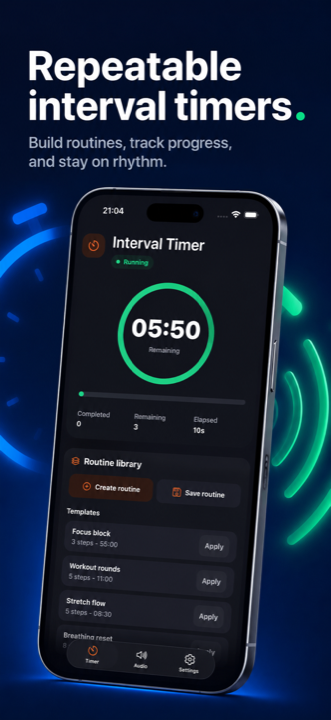
Pick minutes, seconds, and rounds. Beeps at each interval, distinct finish sound at the end.
Productivity · Health
The interval beep timer for routines you actually repeat.
Set an interval, choose how many rounds, hit start. PaceBeep keeps the device awake, plays clear audio cues at every interval, and announces a distinct finish sound — so you stay heads-up on your workout, breathing, study cadence, or practice drill.


Features
PaceBeep opens straight to the timer. Premium adds multi-step routines, voice cues, custom sound profiles, and history for repeat use.
Pick minutes, seconds, and rounds. Beeps at each interval, distinct finish sound at the end.
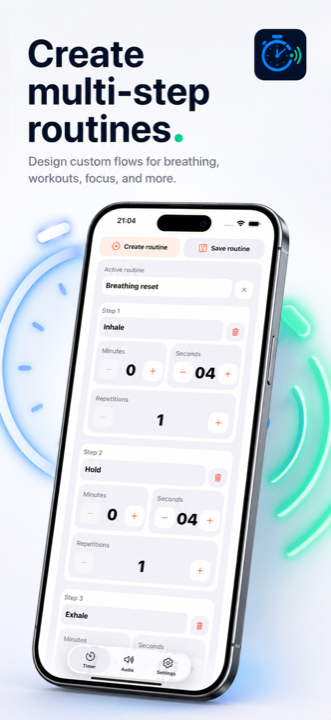
Build named steps with their own durations and repetitions — saved as reusable routine templates.
Optional spoken count-ins and step announcements so you stay focused without looking down.
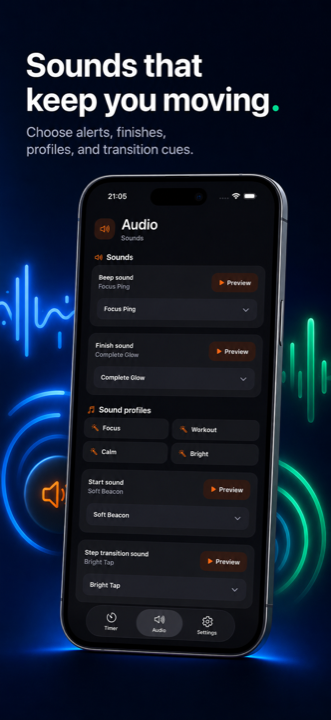
Choose distinct sounds for start, interval, step transition, and finish cues.
Common intervals you reuse, one tap away. Up to 120-minute timers and 100 repetitions on Premium.
See what you ran and when. Track your repeat practice over time.
Made for
Tabata, HIIT, EMOM, mobility rounds — keep eyes on form, not on a screen.
Box breathing, holds, and stretch flows with calm interval cues.
Pomodoro-style focus blocks, instrument practice cycles, drill repetitions.
Checkpoints across the kitchen, posture reminders during desk work.
In the app
Support
Found a bug, missing a feature, or want to talk shop about timers? We'd love to hear from you.